
From Phish to Ransom: A Practical Analysis of Infostealer-Driven Attacks
Executive Summary
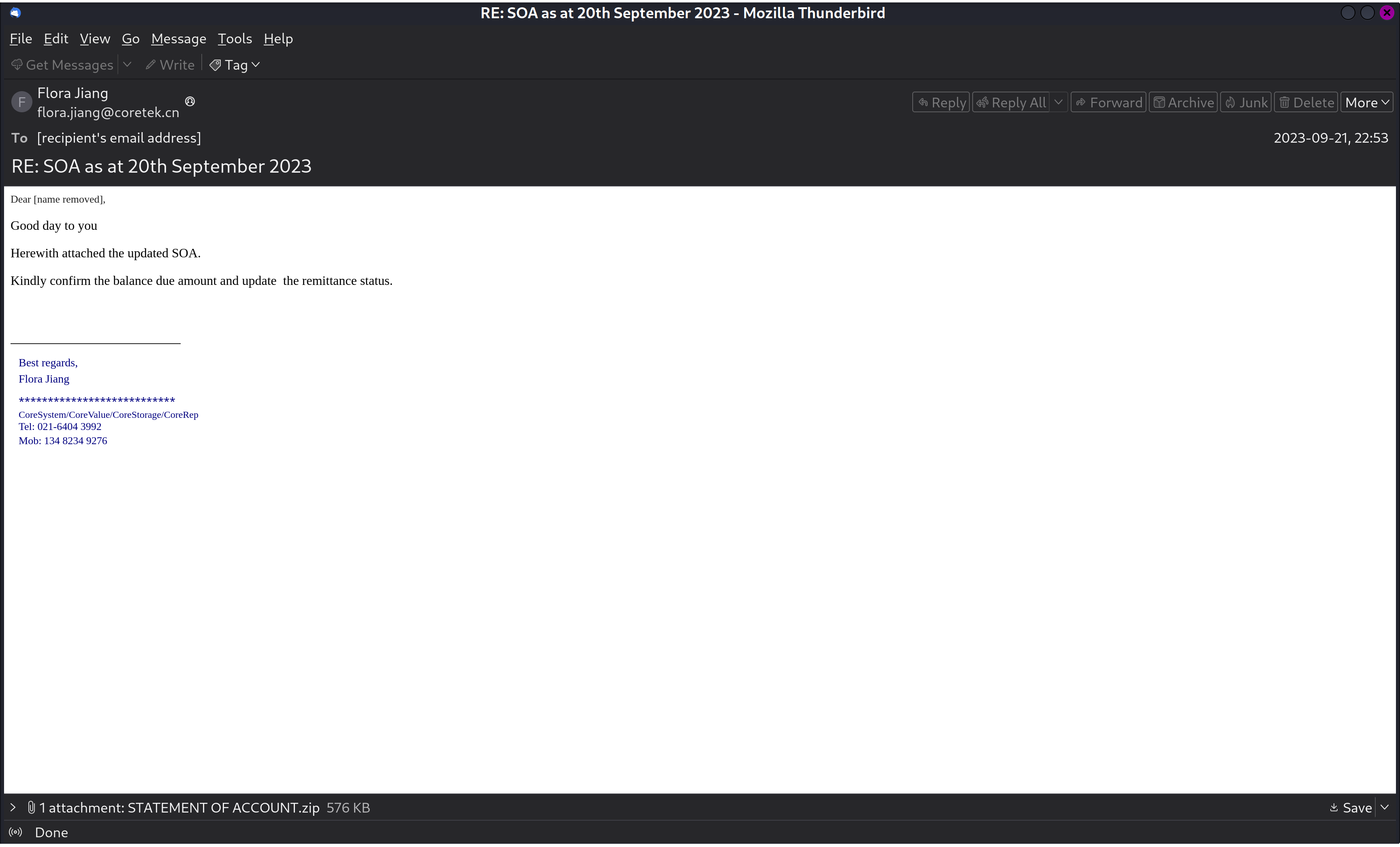
This project focused on analyzing a phishing email and its malicious attachment within a controlled, secure environment. The goal was to simulate a real-world incident response, study the malware’s behavior, and assess the business risks such attacks can pose.
Phase 1: Environment Setup and Email Parsing
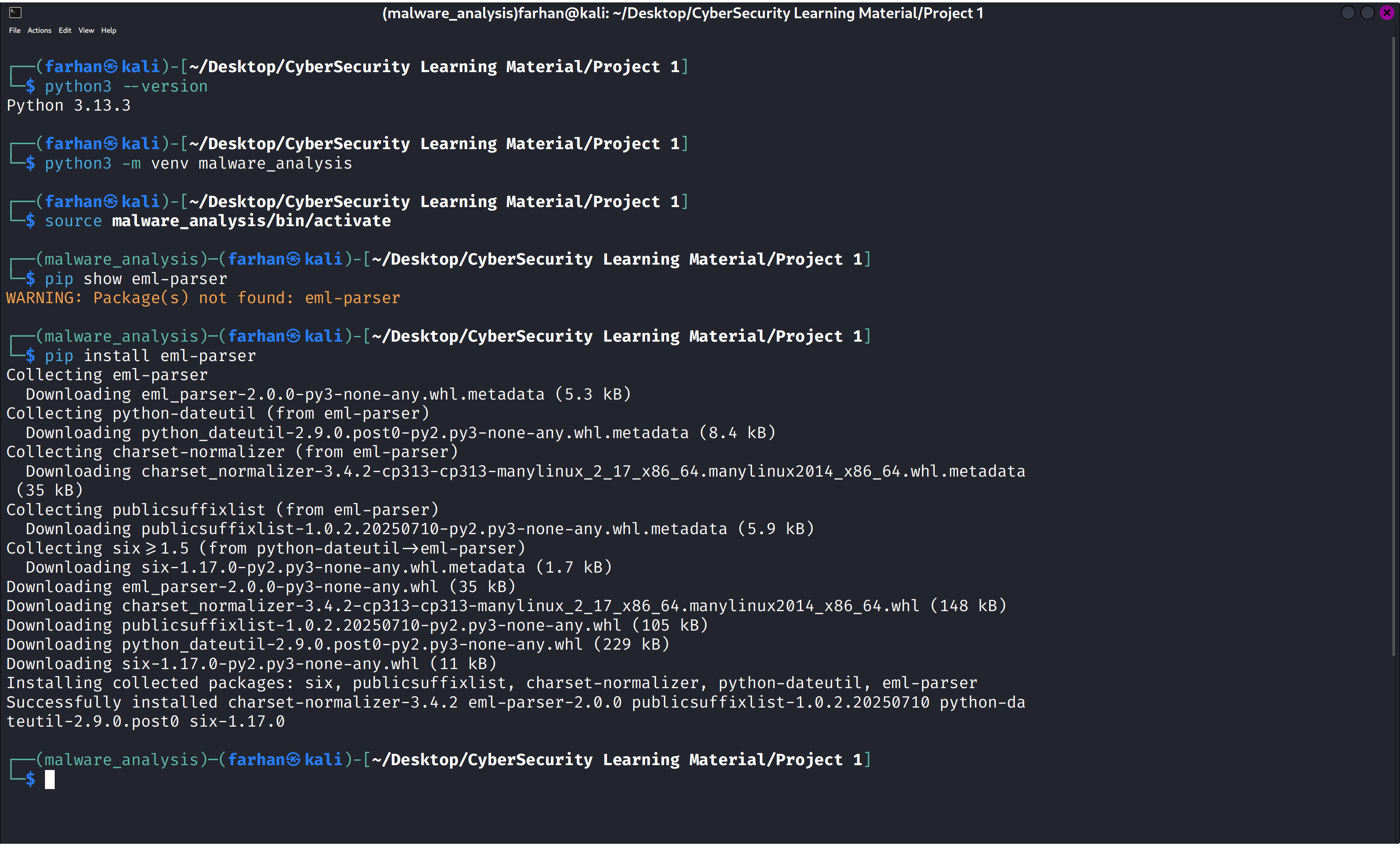
Automated the extraction process by creating a Python script within a dedicated virtual environment (malware_analysis) to parse EML files and extract attachments, streamlining future malware analysis cases.
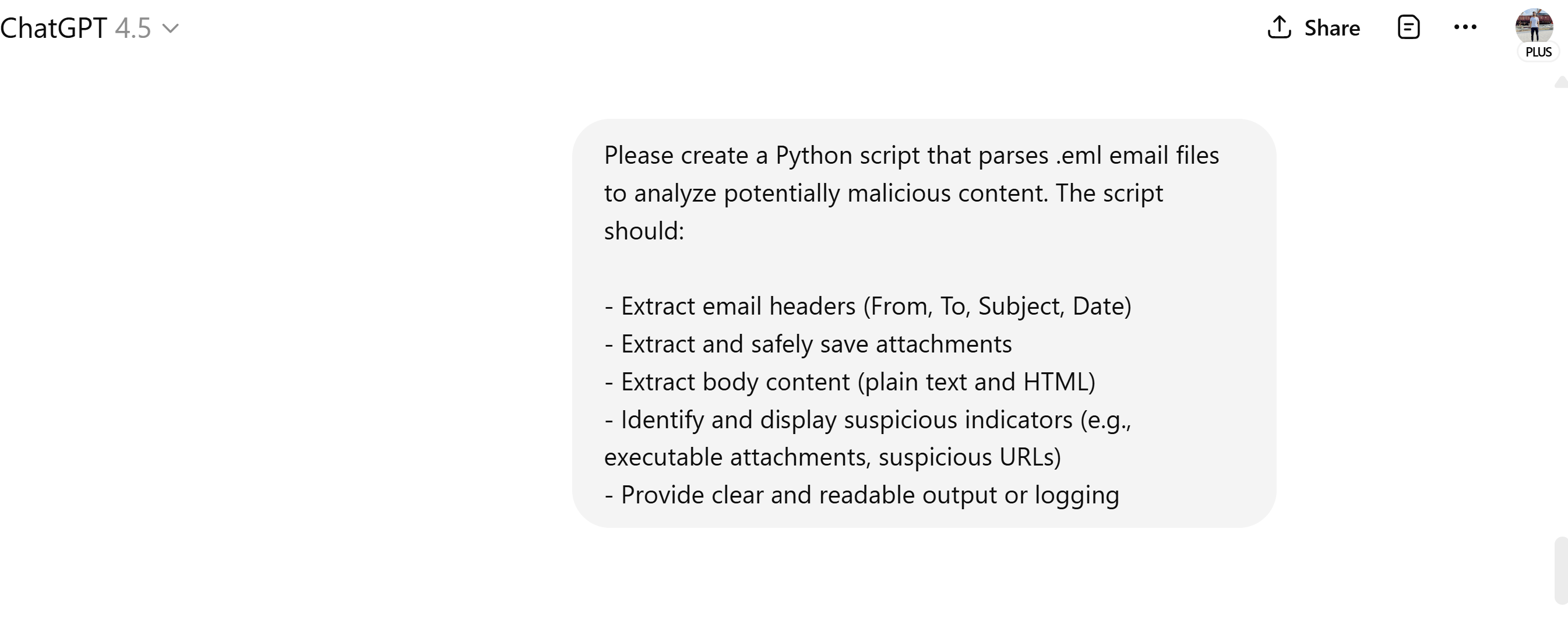
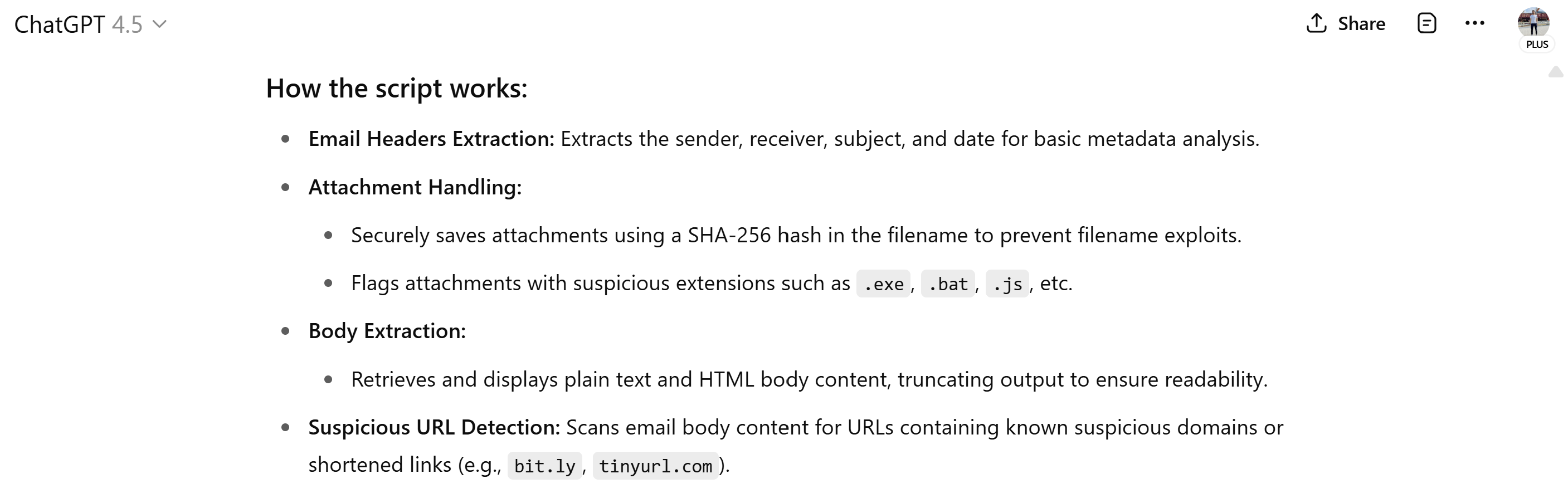
Used ChatGPT to generate a custom Python script that parsed .eml files, extracting metadata, email body, attachments, and SHA-256 hashes.
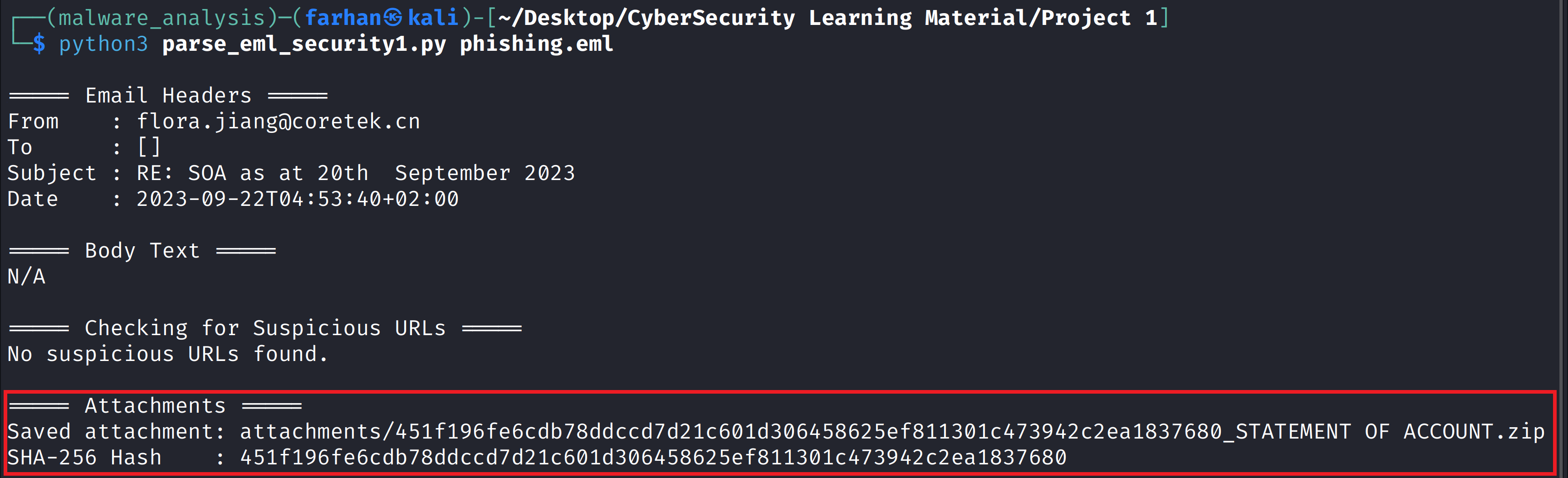
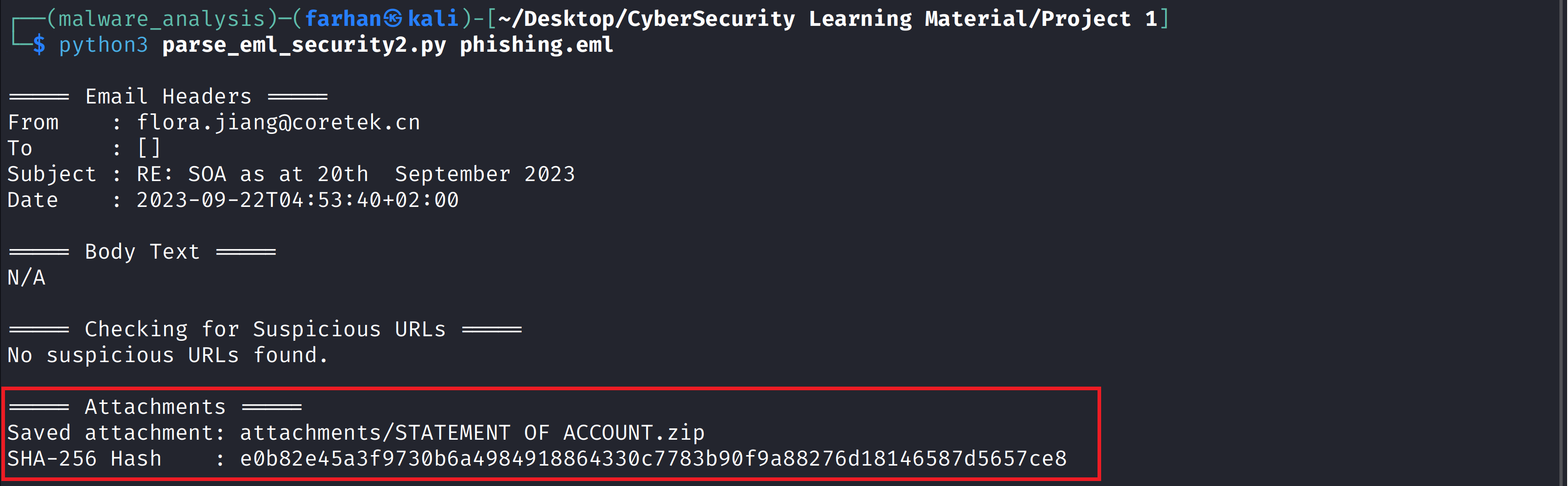
AI tools like ChatGPT can help speed up the analysis process, but they’re not perfect. In this case, the first script it gave me messed up the SHA-256 hash of the attachment because of the way it was doing the hashing. I found where the script was going wrong and fixed it by using eml_parser’s built-in hashing, which gave me the right result and properly decoded and saved the attachments.
Before
After
Phase 2: Malware Analysis
Searched the hash on VirusTotal and observed potential malicious indicators.
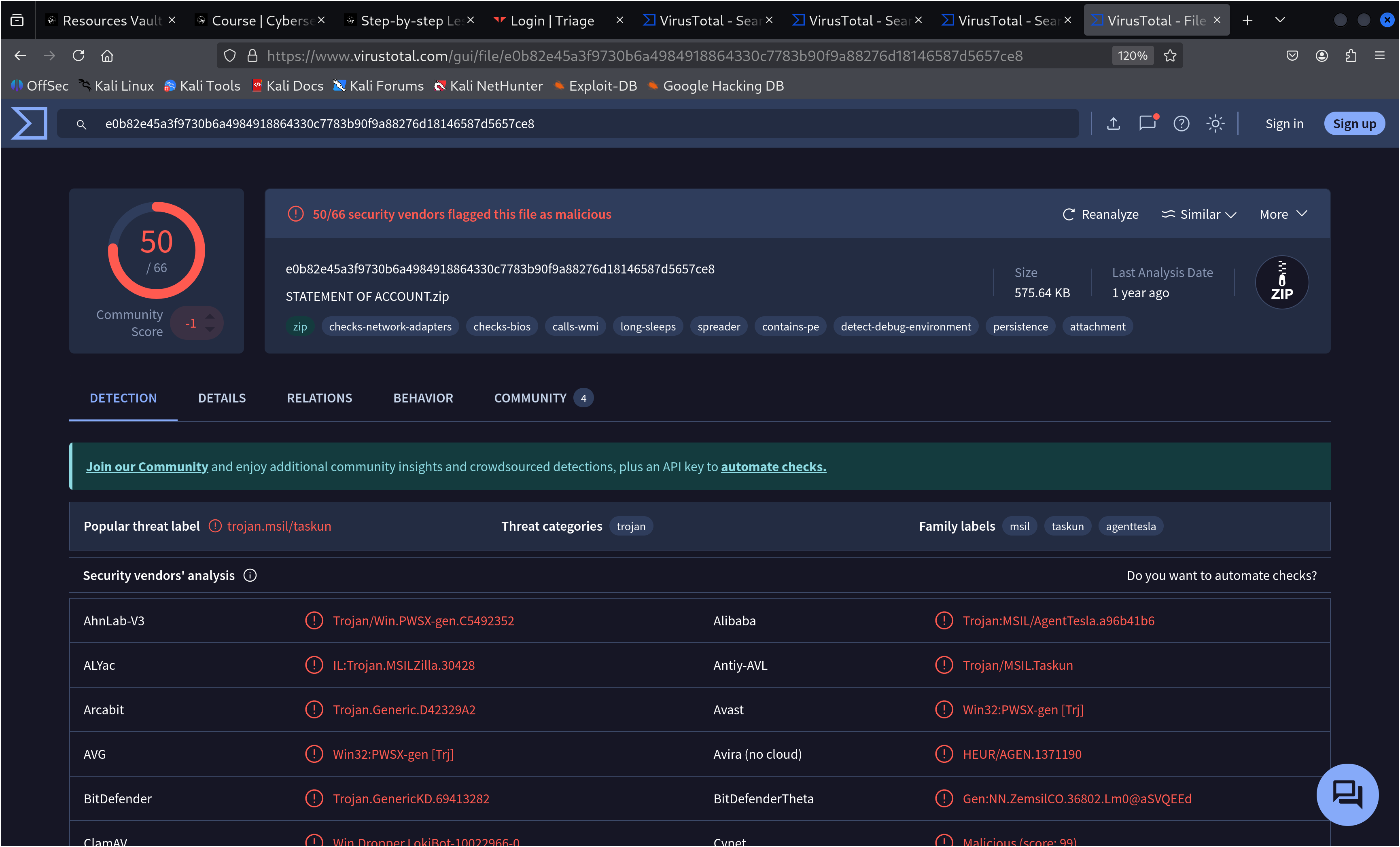
While VirusTotal clearly showed the file was malicious based on multiple detections, it didn’t identify which malware family it belonged to. To dig deeper, I turned to Tria.ge for further analysis.
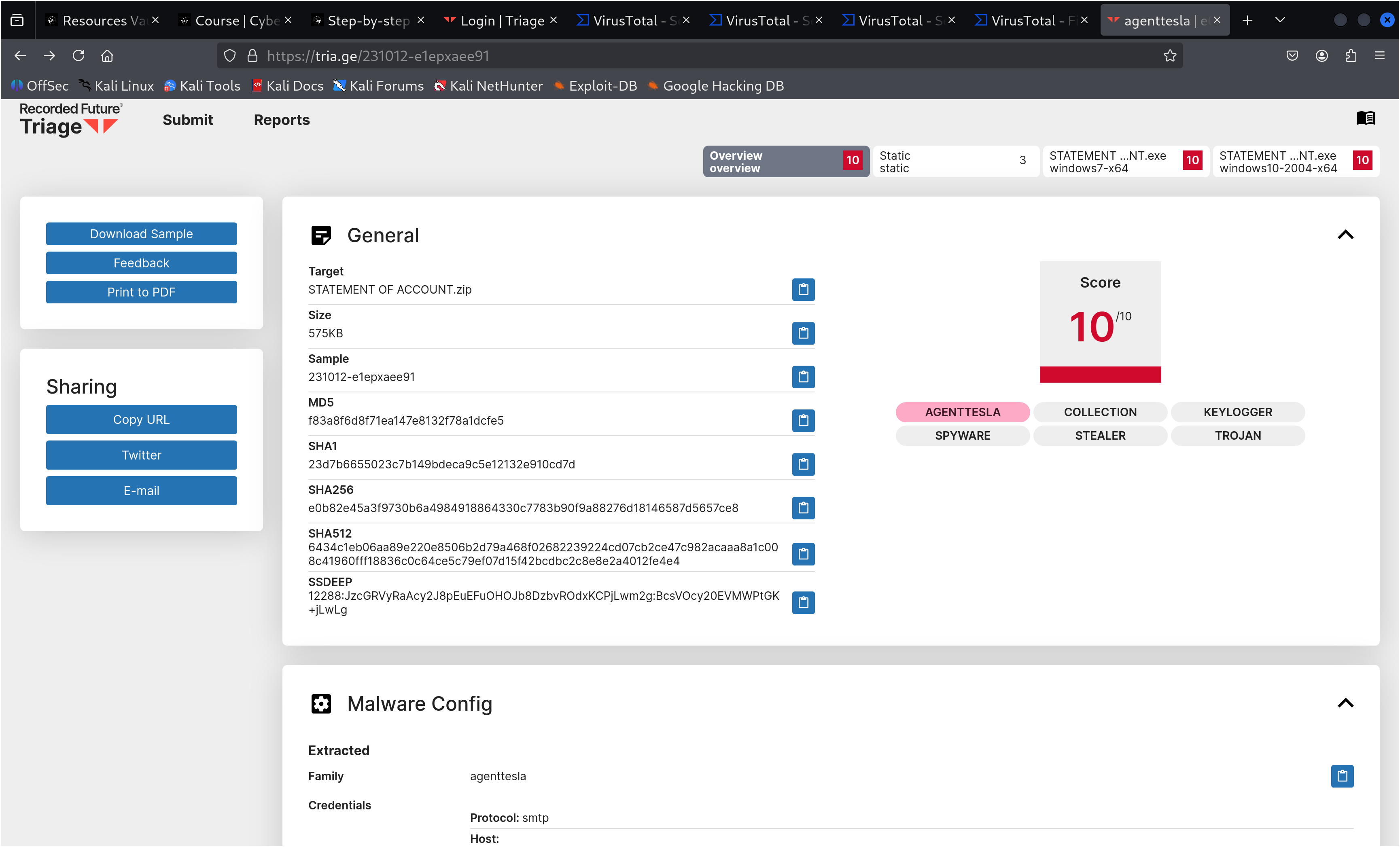
Confirmed the malware was AgentTesla, a well-known information stealer that collects sensitive data such as credentials and browser information, often used in phishing campaigns.
Why This Matters
AgentTesla is an information stealer that can exfiltrate stolen credentials and sensitive data to a command-and-control (C2) server. In this specific sample, analysis on Tria.ge revealed a configuration file showing that the data would be exfiltrated via an SMTP server. This means the stolen information—such as usernames, passwords, and other sensitive details—would be sent directly through email to the attacker’s-controlled mailbox.
Once collected, this data can be used or sold to ransomware-as-a-service (RaaS) groups, turning what starts as a simple phishing email into a full-scale ransomware attack.
For example, in a recent real-world case reported by The Record, a state-sponsored group known as Laundry Bear (Void Blizzard) compromised a Dutch police employee’s account:
“In that incident, the hackers managed to gain access to a Dutch police employee’s account via a session hijacking attack where a cookie on the employee’s browser was potentially captured via infostealer malware and then purchased by the state-sponsored group via a criminal forum.”
Read the full article here
By leveraging the compromised credentials, attackers could move laterally within the network, escalate privileges, and deploy ransomware across the organization, causing severe financial, operational, and reputational damage.
Conclusion (Incident Response)
If the file is executed (e.g., by a user like George in Accounting):
- Immediately isolate the affected device from the network.
- Disable the user’s account and reset credentials.
- Reimage the device before reintroducing it to the network.
- Perform threat hunting to check for other potential compromises, such as reviewing network activity for any connections to the C2 (command-and-control) server or the SMTP server found in the malware’s configuration file.
- Provide phishing awareness training to the user to prevent recurrence.
If the user claims the file wasn’t opened:
- Investigate network logs for signs of compromise, specifically looking for any communication attempts to the C2 or SMTP server identified in the analysis.
- Conduct a precautionary scan and educate the user in a non-punitive way to reinforce security hygiene.